studio.xformatProjects · Coach · Assistant Pyrih

Film

AI film studio · in the browser, on Mac and Windows

Describe the idea. The AI director shoots, voices and edits the film.

Script, frames, motion, voice, music, translation, animation and editing in one studio, in any style. The Director takes the work from idea to the finished file.

Describe what you want

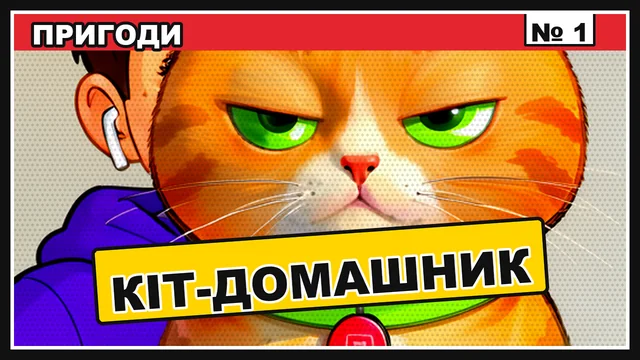
A one-minute vertical sketch: Pyrih the cat does Max's English homework.

Describe what you want
The Director reads the idea
  • The app for macOS and Windows is free
  • Local models at no cost
  • The cloud by subscription: your choice
film types
11
story formulas
32
openers and end cards
54
cover templates
30
picture styles
18
sound categories
72

A film made in the Studio

The vertical sketch “Coach · Assistant Pyrih”, made by the Studio's Director: 17 scenes, three characters and a cat, 66 seconds.

Instead of five services

One studio instead of a separate service for every step

A film is usually put together from five places, and each step starts from scratch. Here everything is one project, with the same characters and voices.

Apart

  • An image generator that draws the character anew every time
  • A separate video service, with frames carried over by hand
  • Another one for voice and music, with its own settings
  • An editing program where everything is gathered at the end
  • A tool for covers and subtitles, apart from the edit

In studio.xformat

  • One project from idea to finished file
  • The same characters, places and voices in every shot
  • Frames, motion, voice, music and sounds land on the tracks at once
  • The Director checks the plan and the animatic before costly video
  • Covers, subtitles and export from the same edit

Films and video

Eleven film types, each with its own hand

The type sets the story formula, editing style, opener, ending and cover. Point at a card and it plays its type's opener, just as the Studio renders it.

  • Sketch comedy

    Conflict in the first line, a punchline shorter than the set-up, then a silent reaction.

    For example: 2D cartoonsketch showmockumentary

  • Series

    The same characters, places and voices every episode, ending on a hook for the next.

    For example: sitcomanimated seriesanime

  • Film and drama

    Pauses matter more than words; the body and the close-up carry the emotion.

    For example: noirmelodrama70s retro

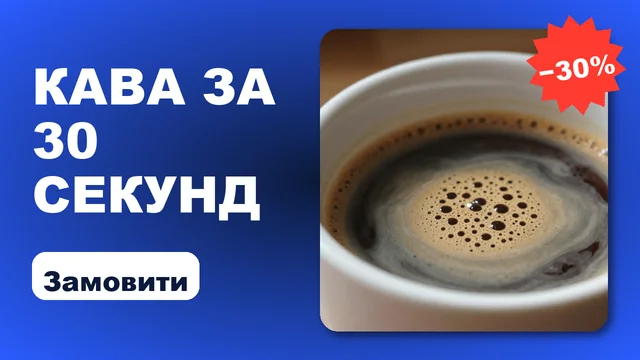
  • Ads

    The pain in the first second, the product up close in action, one proof and a short call.

    For example: foodfashionan app

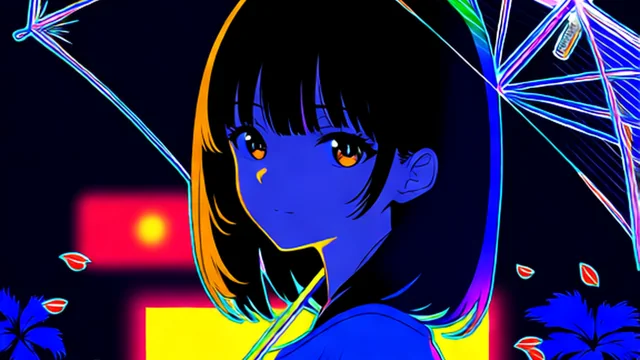
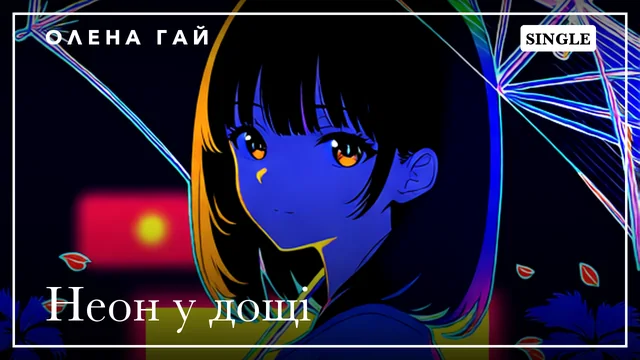
  • Music video

    Cuts on the strong beats, the best shots on the chorus, subtitles only for the lyrics.

    For example: pophip-hopneon

  • Comic

    Pages of 2–4 panels, lines in speech bubbles, a “BAM!” on the hit.

    For example: superheroesmanganoir

  • Kids' story

    One problem, the hero solves it alone, a slow camera and a one-line moral.

    For example: watercolourclaycut-out

  • Explainer

    A question up front, three steps with one shot each, a one-sentence summary.

    For example: infographicswhiteboardmyth and truth

  • Trailer

    World, threat, build-up, hit. Short lines, flashes, the title at the end.

    For example: blockbusterhorrorindie

  • Vlog

    Talking to camera, a hook in the first sentence, live reactions and a sign-off.

    For example: travellifestyletech review

  • Documentary

    Facts and observation, a calm voice, wide shots alternating with details.

    For example: natureportraitarchive

  • All types, recipes and formulas40 recipes · 32 formulas · 15 editing styles

Motion and covers

Titles, openers and covers in the same window

The Studio's own motion graphics engine renders openers, end cards, lower thirds, kinetic quotes, infographics and slideshows from your frames.

  • Openers and end cards, picked by the Director for the style and film type
  • Covers for 16:9, 9:16, 1:1 and 4:5 with platform safe zones
  • Ready themes with Cyrillic fonts: cinema, noir, neon, fairy tale, comic, horror
  • A card from the edit opens in Motion to be changed

Eight of 40 openers

Live templates: the Studio's engine renders them right on the page

  • Аніме-заставка
  • Комікс-вибух
  • Неон
  • Кільця
  • Кінетичний удар
  • Скрапбук
  • Ретро-телевізор
  • Хром 3D

A kinetic quote, numbers and a lower third

Montage transitions

Crossfade

End cards

  • Далі буде (стоп-кадр)
  • Комікс-фінал
  • Неоновий фінал

Images

A frame from words, an edit in words, a cover from a finished frame

The image workshop serves a film and stands on its own: a poster, a cover, an illustration, a character sheet.

  • A frame from a description in any picture style
  • Edit a photo in words: replace or remove a detail, the rest stays
  • A character from 2–4 photos carried into a new scene
  • Variations, a repeat with one change, upscaling ×2
  • A character sheet: full length, profile, emotions, the same character in another style
  • 30 cover templates for YouTube, Shorts, Reels and TikTok

Character sheet

  • Olena full length on a light background
  • Olena in three-quarter view on a light background
  • Olena in profile on a light background
  • Olena's face, joy
  • Olena's face, surprise
  • Four emotions of Olena: joy, surprise, sadness and tiredness
Olena: the approved drawing of the character at her laptop in a room, the cat beside herThe same scene with Olena and the cat in a 3D styleOriginalThe same frame in 3D

Covers from one frame

Sound and mix

Nothing louder than the line

A film is mixed in four groups. Every sound is levelled to its group's norm, and music and ambience duck under the voice by themselves, the same in preview and in the final file.

  • Voice−16 LUFS
  • Music−12 dB under voice
  • Ambience−36 LUFS
  • Effectspeak −12
  • Voices with emotion, your own voice from a sample
  • Instrumental music and songs with lyrics in Ukrainian
  • A library of recorded sounds: places and events
  • Sound packs in one click: licence and size shown first, downloads can stop and resume
  • An event sounds only when its cause is in the shot
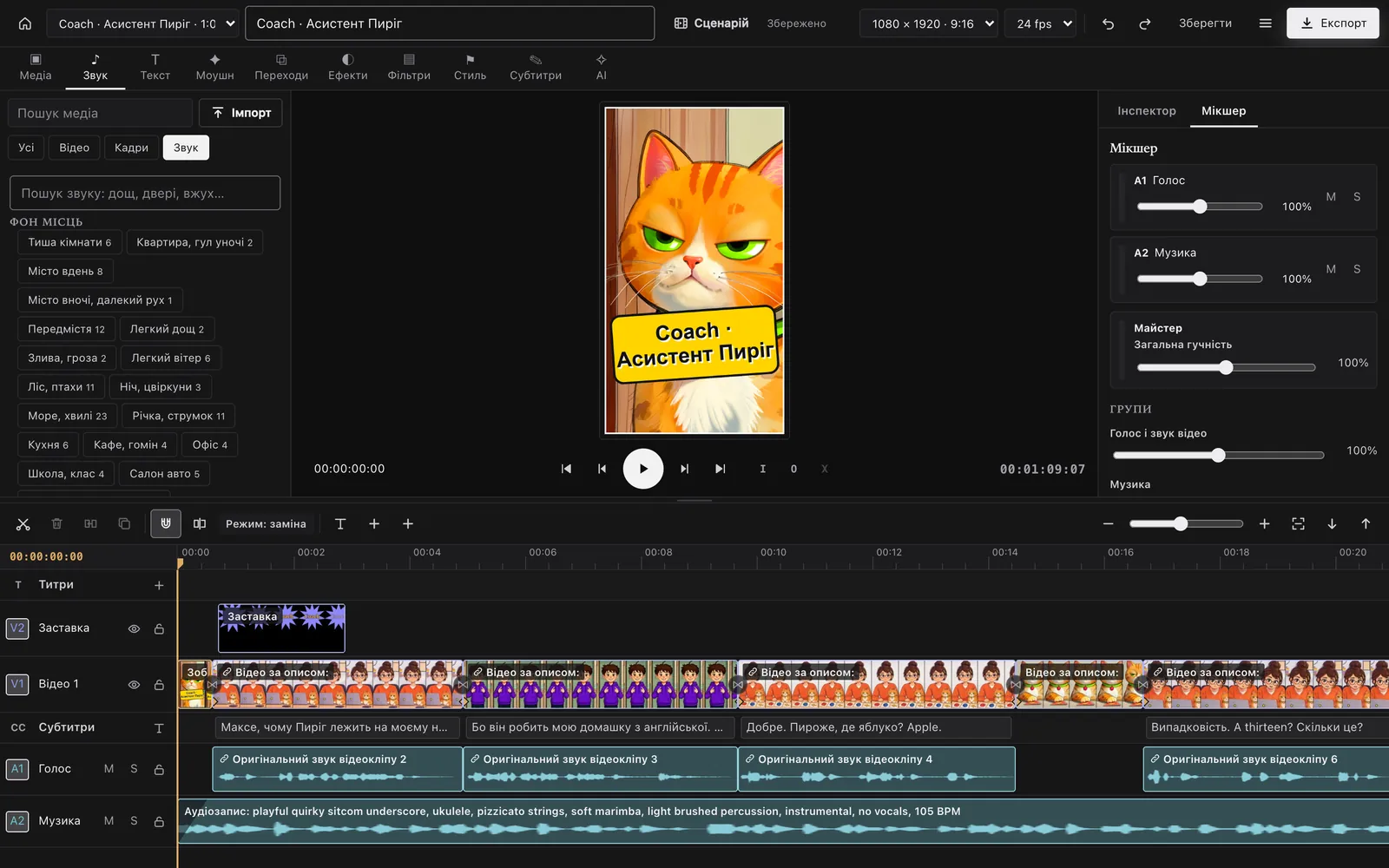
The Sound tab in the edit: a sound library by category and the group mixer

Podcasts

A podcast with a mood: a topic, hosts, and the episode is ready

The audio studio has three parts: “Voice and sounds”, “Music” and “Podcasts”. For a podcast you pick a mood, a length and the hosts; the agent, a local model or you write the script, and the Studio voices every line with its host's voice and mixes the episode.

  • Voice and sounds

    Voices with emotion, your own voice from a sample, speech recognition, a sound library.

  • Music

    Songs with lyrics in any language and instrumental music for the mood.

  • Podcasts

    Shows, episodes, a line editor, a player with chapters and export.

  • Shows and episodes: an episode takes its show's hosts, mood, format and music
  • Every line in its own voice and emotion, and any one line can be voiced again
  • A script check: length for the mood, words per minute, the hosts' roles
  • An opener, a bed under the voice that ducks, an outro
  • Loudness at −16 LUFS, chapters and a description, the file exported

Moods

  • Cosy evening talk
  • Upbeat morning show
  • Calm analysis
  • True crime story
  • Funny chat
  • Meditation and sleep
  • News in brief
  • A tale for children
  • Interview
  • Debate
  • Documentary story

Formats

  • Monologue
  • Dialogue
  • Interview
  • Round table

Translation and dubbing

Your video in another language, in the same voice

The Studio extracts the sound, transcribes the speech with every word's timing, translates, re-voices and lays subtitles. Music and ambience stay under the new voice.

  • Speech to text with every word's timing
  • Translated lines that keep their length
  • A new voice with emotion, or your own voice from a sample
  • Subtitles in the picture and as a separate file
  1. Sound
  2. Text
  3. Translation
  4. Voice
  5. Subtitles
UkrainianМаксе,чомуПиріглежитьнамоємуноутбуці?
EnglishMax,whyisPyrihlyingonmylaptop?

Max, why is Pyrih lying on my laptop?

Animation

Hand-drawn, 3D, clay and comics

A frame comes to life in the style you chose: classic animation on twos, key poses for hard actions, lip sync to the line, comic panels coming alive one by one.

Max, who does the homework?
Pyrih!
Thirteen!BAM!
Max, who does the homework? Pyrih! Thirteen!
  • 2D, 3D cartoon, anime, clay, paper cut-out, painting
  • Animation on twos, with the jitter of handmade work
  • Key poses for an action the model would not guess
  • Lip sync to a finished line
  • Comics in five styles: American, manga, spider-verse, Franco-Belgian, noir
  • Hand-drawn 2D
  • 3D cartoon
  • Anime
  • Clay
  • Cut-out
  • Painting
  • Comic

Music

A song with lyrics, and a music video cut to its beat

The Studio writes songs with verses and a chorus in any language, Ukrainian too, and instrumentals up to six minutes. A music video cuts its shots on the strong beats.

  • Songs with lyrics: style, voice, language, sections
  • Instrumental music for a scene's mood
  • Music video: a new shot every 4–5 seconds, the best on the chorus
  • A check that the sung words are clear
  1. [Verse]Ранок над озером тихо встає
  2. [Chorus]Світло знайде усе, що твоє
  3. [Verse]Кіт на вікні рахує до ста
  4. [Chorus]Світло знайде, і пісня проста

Cuts on the strong beats

Editing your footage

Got footage? The Studio cuts it, styles it and gets it ready for social

You don't have to generate anything. Upload your clips and the Studio builds a video from them: cuts, subtitles, music, colour and a cover.

Max in a purple hoodie proudly points at himself

Because he's doing my English homework.

  • A transcript with every word's timing: pauses and filler words cut by themselves
  • Several clips into one story: cut, speed and freeze frame
  • A style in one click: cuts, push-in, colour, frame, karaoke subtitles
  • Subtitles from the speech in the shot, and as a separate file
  • Vertical 9:16, square and 16:9 from one edit, with platform safe zones
  • Music and effects duck under the voice by themselves
  • Opener, end card and cover from the same footage
  • YouTube
  • TikTok
  • Reels
  • Shorts
  • Stories
  • blog
Titles
Frames
Voice
Music
Effects

By hand

A full-screen editing room with tracks, an inspector and a mixer. Every action can be undone.

  • Up to 16 tracks
  • Titles and subtitles on their own rows
  • Number fields like a pro editor’s: +0.5, *2, 12f, timecode, drag the label
  • Export video and subtitles

By the agent

Say what you want and the agent edits it. Its changes appear live in the same editing room.

  • “Make a 30-second video from these clips”
  • “Add subtitles and music”
  • “Make a vertical version”

The finished file

The film goes on to any editor and any platform

The Studio does not lock your work in. Hand the edit to another editor, take subtitles with every word's timing, and get loudness and size ready for the platform.

  • Edit export to other editors

    Compatible export: FCPXML for Final Cut Pro and DaVinci Resolve, XML for Premiere Pro. Clips on their tracks with in-points, subtitles beside as SRT, and the Studio tells you what did not carry over.

  • Subtitles with word timing

    WebVTT with every word's timing: karaoke-capable players light each word as it is spoken. Import reads such files back.

  • Loudness for platforms

    A finished film sounds even on YouTube and social apps: loudness is set to the platform standard (−14 LUFS, peaks under −1 dBTP), with a report beside it. Podcasts go to −16 LUFS.

  • Upscale ×2

    Model clips come out twice the size and sharper after generation. Off for drafts, so you don't wait.

  • A render that resumes

    Motion renders in chunks of whole seconds: a crash or a restart loses nothing already done.

  • Subtitles and cover beside

    Video, subtitles as a separate file, and a cover for 16:9, 9:16, 1:1 and 4:5 from one edit.

Motion for presentations

An app's interface as a 3D scene with a camera

For product promos, release notes and landing pages, Motion turns interface screenshots into layers in space: the camera pushes in on a panel, the panel lifts off the window, the cursor acts, and screens change with 3D transitions.

  • A camera with perspective, push-ins, tilts and depth of field
  • Layers with depth: panels give parallax and lift with a shadow
  • The cursor as an actor: an arc, a pause before the click, a press, typing with a caret
  • The same words for you and the agent: say “push-in” or “hold” and you both mean the same
  • A long render goes in chunks: after a crash or a restart it resumes instead of starting over
  • Interface presentation in 3D

    A wide shot of the window, a push-in on a panel, a swing to the next screen and the closing title.

  • Feature demo

    The cursor types a prompt, presses the button, and the camera dives into the result.

  • Before and after

    A comparison slider shown in 3D, so the difference reads at a glance.

  • App reel 9:16

    A phone in the frame, finger taps, screens that slide in.

How it works

Story first, video last

The Director writes the story to a formula, checks the plan and builds an animatic from still frames and real voices. Video takes longest, so it comes last, once everything else is approved. A mistake shows in minutes, not after an hour of rendering.

  1. Story

    A logline, a question in the first three seconds, a turn at 65–85 %, an ending told by an image. Named characters with a personality.

    Director

  2. Plan check

    Gaps in the story, a late turn, long lines, vague words and how long the work will take.

    Studio

  3. Animatic

    In minutes: real frames, voices, ambience, effects, music, opener and subtitles, every frame still.

    Director

  4. Review sheet

    A row per scene: the character's reference, the frame and the line. Faces, hands and stray objects show at once.

    You look

  5. Video

    The same plan: frames, voices and sounds stay, only motion and lips are made.

    Director

  6. Final review

    A contact sheet, loudness, dark and quiet spots, every line heard again.

    Studio

The Director and the agent plugin

The agent takes a film from idea to file

The Studio's plugin gives an AI agent every tool and all the know-how of a director: writing the story, framing a shot, mixing, editing and checking. The agent works in the same projects as you, and every step shows on the Studio's pages.

  • Writes the story, picks the characters, look, opener, sound and edit
  • Shows the plan and the time first, then an animatic, and only then the video
  • Fixes with the smallest change: one frame, one sound, one style
  • The Studio's agent installs in Claude Code, Codex, OpenCode, Hermes and Cursor from one place and updates itself
  • No agent needed: the “Describe what you want” field and every page work by hand
Read the guide
  1. You: Make a one-minute vertical sketch: Pyrih the cat does Max's English homework.
  2. Studio step: The Studio's types, formulas and openers
  3. Studio step: The Coach series cast: Olena, Max, mum Tetiana, Pyrih the cat
  4. Agent: Formula “Sketch: rule of three”. The turn at 0:45: mum is learning English too.
  5. Studio step: Story check: no remarks
  6. Agent: I'll build the animatic first so you can look at the frames and voices. Opening the script.
A sample conversation: the steps are real, the reply differs every time.

Cloud or your own computer

Online or offline: the same Studio

The Studio in the browser runs on xFormat's cloud models and asks nothing of your device. The app for macOS and Windows does the same and also runs local models. You choose where each step is generated.

In the browser, in the cloud

Open the page and work from any computer or tablet.

  • Nothing to install
  • Powerful cloud models for frames, video, voice and music
  • xFormat cloud models in the app too: sign in to your account; frames, video and voice; plan and balance in view
  • Projects in your xFormat account
  • By subscription: the price comes before the cloud launches

In the app, locally

The same interface, with generation on your own hardware when you want it.

  • No queue, no uploading files back and forth
  • For your task: you choose the models and settings
  • Offline, when there is no internet
  • Free: the app and local models at no cost
  • The cloud stays at hand for heavy steps, by subscription

One app. A project started in the browser carries on in the app.

1. Choose what to install

  • Frames and stylesphoto, 2D, 3D, anime
  • Video and lip syncbring a frame to life
  • Voice and songsemotion, your own voice
  • Sounds and musica library of recordings

Device checked: enough memory for the chosen models

2. Installing

  • Device check0 %
  • Generation engines0 %
  • Image models0 %
  • Video models0 %
  • Voice and music0 %
  • Ready settings0 %


Questions

Asked most often

What is studio.xformat?

An AI studio in the xFormat ecosystem, a whole factory: films and video, motion graphics, images, voices and sound, music, translation and dubbing, animation and editing. It works alone on each of these, or the Director chains them into a finished film. It also edits and styles footage you already have.

How much does it cost?

The app for macOS and Windows is free: local models and all the hands-on work at no cost. Only use through the xFormat cloud is paid, by subscription. The price comes before the cloud launches.

Do I need to install anything?

Not if you work in the browser: there cloud models generate, by subscription. The free app for macOS and Windows is for generating locally.

Do I need a powerful computer?

Not for the Studio in the browser: the cloud models do the heavy work. For local generation the install wizard checks your device and offers models that will run on it.

Can I work without the agent?

Yes. The “Describe what you want” field on Home starts the Studio's Director, and every page (Frames, Video, Sound, Script, Edit, Motion) works by hand. The agent simply decides more on its own.

How does cloud generation differ from local?

Not in what you see: the interface, projects and tools are the same. Only where the model runs differs. The cloud asks nothing of your device; local generation is faster without queues and uploads, works offline and lets you pick models for the task.

Ready for your first film?

Open the Studio in the browser or install the app. The guide takes you from the idea to the finished video.